MCR SEO Blog

How to Post Your Jobs to Google Jobs — It’s Free

Here at Manchester SEO we know that SEO isn’t just ranking pages organically anymore. It can involve many other things like social media, PPC and Schema — just to mention a few.

One such example is when looking at the job and recruitment industry.

If you own a business, a recruitment company or even a jobsite (like me), then you know as well as me how much it can cost to advertise your vacancies online — from Indeed, to Monster, to Totaljobs, Caterer.com and even LinkedIn. The cost is massive.

Apart from Indeed (who actively stop their jobs from being indexed by Google for Google Jobs), the others have their jobs picked up by Google and displayed at the top of the search engine results page.

But the link goes back to their site. Why couldn’t it go back to your site?

If Google just picked up your jobs directly from your site, and displayed them for free on Google Jobs, you possibly wouldn’t need to spend that money anywhere else — or at least you could cut down the amount, and it would increase your ability to manage the user experience and build your brand.

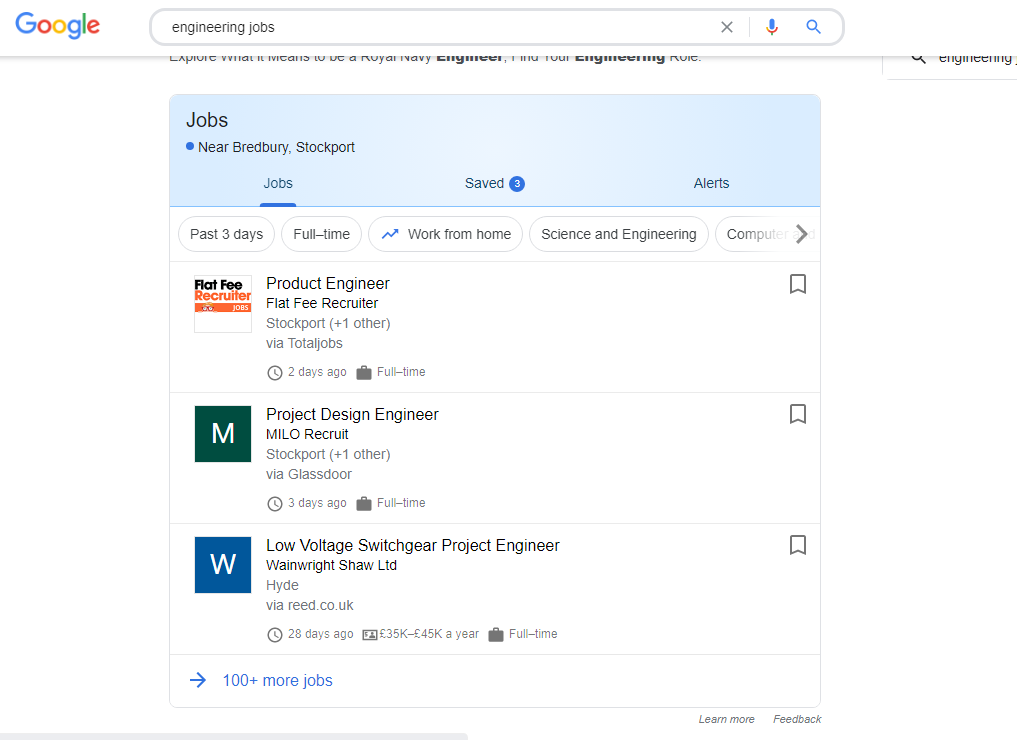
Google Jobs search results example

How to Post your Jobs on Google Directly

1. You’ll need a website

You won’t be able to directly send your jobs to Google search results if you don’t have a website. If you don’t, you may be able to post with a 3rd-party site that does post to Google — although many job boards require companies to have a site too.

2. Publish your job postings on your website

Seems pretty straightforward. You’ll want a careers page on your site that lists all your current job postings.

3. Add job listing structured data to your jobs page

This might sound scary if you’re not a technical person. Adding structured data to the job postings tells Google that it’s a job posting and labels the essential info. If you can’t do this and don’t want to go 3rd-party, it should be easy to find a freelancer who can.

4. Use sitemaps to let Google know when you’ve added and removed jobs

If you want people to apply to jobs you’ve just posted, or don’t want them to apply to jobs you’ve taken down, use sitemaps to quickly tell Google what’s going on. Again, you’ll need someone technical to set this up and submit them.

5. Track results in Google Search Console

You’ll be able to see impressions and clicks in Search Console, to see how well Google for Jobs is working for you and make sure it’s running correctly.

Does it Actually Work?

Believe me — I’ve done it! Google Search Console shows the job searches that Lobsterjobs.co.uk shows up for, without any on-page SEO optimisation.

If you would like to know more, please contact us and we’d be happy to help!

Ready to take the next step?

Book a discovery call today